Anatomy Learning - 3D Anatomy
3D Medical OUMedical
4.53.92K Reviews
- Version
- 3.2.544
- Installs
- 10.00M
- Age Rating
- Everyone
Screenshots
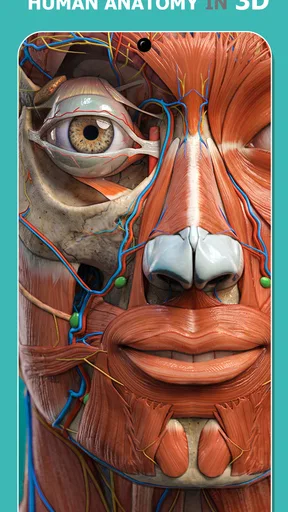
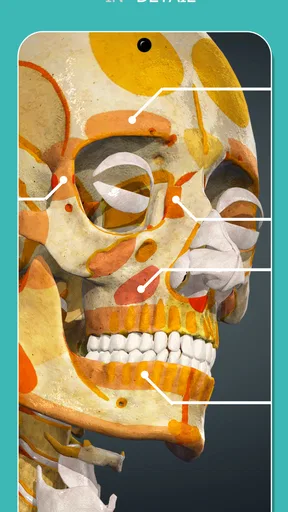
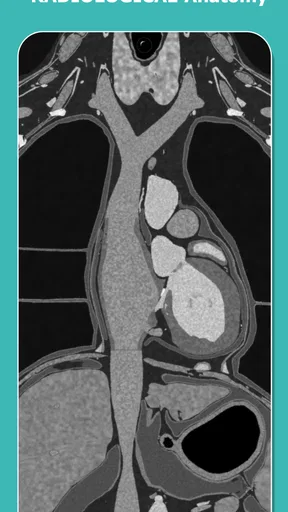
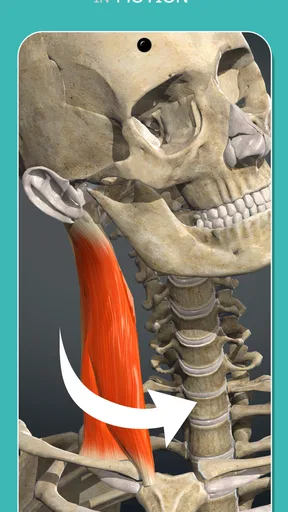
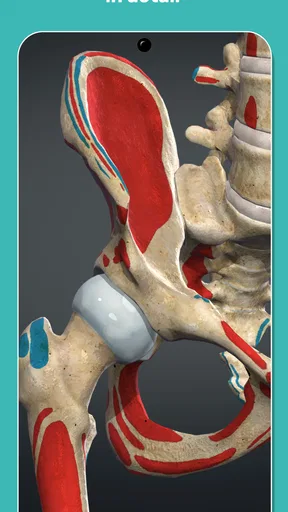
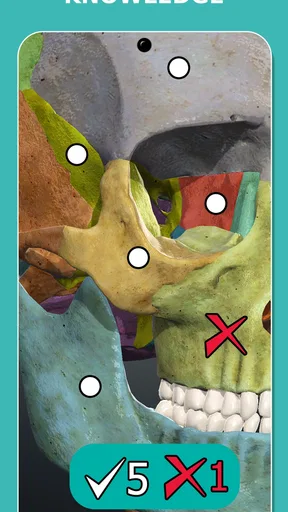
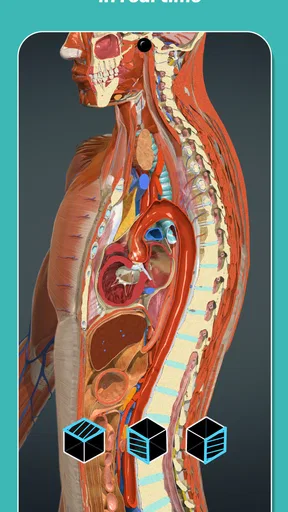
Our Review of Anatomy Learning - 3D Anatomy
 Analysis by Appyee
I’m cautious about anatomy apps that promise to make a complicated subject feel effortless, but Anatomy Learning By Dr. Blanco has a more useful strength: it gives me a visual space to inspect structures and connect their names with their positions. That makes it a practical companion for study and curiosity, rather than a replacement for a course, textbook, or clinician’s advice. I’d recommend it most to people who want to explore the body actively, and less to anyone who needs a carefully guided medical curriculum.
Where a 3D atlas earns its place
The clearest reason to use this app is the ability to move from a flat diagram to a model you can turn, enlarge, and examine from different angles. That change in perspective is more than a novelty. When I’m trying to understand how a structure sits beside another, rotating the model can make the relationship easier to grasp than rereading a paragraph or studying a single textbook image.
This is especially useful for building spatial familiarity: identifying a bone from more than one viewpoint, noticing how layers sit over one another, or revisiting a region after a lecture. A 3D view does not automatically teach the function of every structure, but it can give the written explanation a clearer mental map. I find that distinction important: the app is strongest when I use it to support learning, not when I expect the model alone to explain everything.
A study routine that makes the models more useful
For a short study session, I’d start with one body region or system rather than opening the app with the vague goal of “learning anatomy.” I would inspect the relevant model, use the labels and descriptions to identify a few structures, then hide or move through layers and try to name them from memory. A quiz can make a useful final check, but the more valuable step is returning to the model and locating any answer I missed. That turns a score into a correction rather than a one-off result.
A realistic example: after a class on the shoulder, I might open the app during a break, rotate the area to compare what I saw in a lecture diagram, and check the labels for structures I keep mixing up. Later, I could use a quiz to see whether I can recall them without leaning on the labels. That is a focused, repeatable workflow; it is more likely to help than browsing every system in one sitting and hoping the details stick.
There is a useful trade-off here. The 3D model invites exploration, while the written material and quizzes encourage more deliberate review. I’d use the first to orient myself and the latter to test recall. If I’m studying for an exam, I would still follow the syllabus and use the terminology and depth expected by my course. An atlas can make revision clearer, but it cannot know which details an instructor will emphasize.
How it differs from books and quick searches
Compared with a conventional anatomy book, this app’s main advantage is the freedom to inspect a model from different angles and peel away layers on screen. A book may be better when I want a carefully sequenced explanation, stable reference pages, or a broad chapter that connects structure with function. A quick image search is faster for a single definition, but it can leave me comparing diagrams with different viewpoints and levels of detail. The app sits between those options: more interactive than a page, yet something I’d pair with a structured source when depth and context matter.
That also explains who may not need it. If you only want a one-time answer about a body part, opening a 3D atlas may be more effort than searching a reliable reference. If you need clinical decision support, diagnostic guidance, or treatment advice, this is not the right tool; anatomy learning is not a substitute for professional care. And if you prefer a guided lesson that tells you exactly what to study next, a course or instructor-led resource may suit you better.
Getting Started with Anatomy Exploration
First things first, downloading Anatomy Learning By Dr. Blanco is a breeze. Available on both Android and iOS, the app is surprisingly lightweight considering the wealth of information it packs. Upon opening it, you’re greeted with a clean and intuitive interface. I felt like I was walking into a virtual classroom, and it was time to learn!
The app is divided into several sections, each focusing on different systems of the body. Think skeletal, muscular, cardiovascular—you name it, it’s there. What I loved was the level of detail. Each section is like a deep dive into the specific anatomy, complete with 3D models that you can interact with. It’s a bit like playing with a digital version of those anatomy kits we had in science class, only way cooler.
Diving Into the Features
One of the standout features for me was the ability to rotate and zoom in on the 3D models. I mean, who doesn’t want to see the human heart up close and personal? The app allows you to dissect these models right on your screen, peeling away layers to get down to the nitty-gritty of human biology. And trust me, it’s as satisfying as it sounds.
The app also includes detailed descriptions and labels for each part of the body. It’s like having access to a comprehensive anatomy textbook, but without the weight of carrying one around. The text is clear and concise, making it easy to digest even the most complex information.
Learning at Your Own Pace
Another aspect that really impressed me was how the app caters to different learning styles. Whether you’re a visual learner who needs to see things to understand them or someone who prefers reading, Anatomy Learning By Dr. Blanco has got you covered. There are quizzes to test your knowledge, ensuring that what you learn actually sticks. I found myself getting a bit competitive, trying to beat my previous scores!
The app also keeps track of your progress, so you can see how far you’ve come on your anatomical journey. It’s a small feature, but one that adds a nice touch of motivation.
A Few Words on Usability
Now, let’s chat about usability. Navigating through the app is straightforward. Everything is laid out logically, and the search function is a lifesaver if you’re trying to find something specific. I’ve spent countless hours just exploring different sections, and I haven’t run into any bugs or glitches. It’s clear that a lot of thought went into making this app user-friendly.
One thing to note, though, is that while the app itself is free, there are in-app purchases available. These can unlock additional content and features, which might be enticing if you’re looking to expand your learning even further.
What to expect before you settle in
The app is free to start, with optional purchases ranging from under a dollar to just under sixty dollars per item. I’d treat those as a reason to explore the available material before paying, not as a promise that a purchase is necessary for ordinary study. If you’re using it casually, begin with the content you can access and decide whether the added material fits a specific learning goal. The app is rated for everyone, but younger learners may still benefit from an adult helping them turn model exploration into a structured activity.
It is a medical learning app from 3D Medical OU, and its audience is broader than medical students alone. Curious adults can use it to put names to structures, while students may find the visual reference useful alongside class notes. The important distinction is level of reliance: I’d use it to become more familiar with anatomy, but I would not treat it as an authoritative answer to personal symptoms or as a substitute for a qualified teacher’s explanation.
The app has been available since March 20, 2014, and its current version is 3.1.500. It has an average rating of 4.5 from around 160,000 ratings, with more than 10 million installs. Those figures suggest that it has found a substantial audience, though popularity does not tell me whether its content matches a particular course or learning style. I’d judge it by whether the models and explanations help with the exact topic I’m studying.
On a phone, I’d use the search function to jump straight to a structure rather than treating every session as a full tour. Then I’d zoom only as far as needed and rotate the model to check its orientation before trying to recall the label. That small habit can prevent a common mistake with visual references: recognizing a structure in one view but not understanding where it sits when the angle changes. If I have a longer study session, a larger screen may make close inspection more comfortable, but the basic workflow still works as a quick reference.
Who will get the most from it
I think the best fit is someone who already has a question to investigate: a student reviewing a body region, a teacher looking for a visual aid, or a curious learner who wants to understand where structures sit. It is also a good choice for people who learn by manipulating a model rather than staring at a fixed illustration. The combination of search, labels, rotation, and quizzes gives different ways to approach the same subject without requiring every session to look alike.
It is less ideal for learners who need a tightly ordered course with lessons that build from basic concepts to advanced ones, or for readers who want extensive explanations of physiology, disease, and clinical practice in one place. A 3D atlas can show anatomy, but seeing a structure is not the same as understanding how it works or what a medical finding means. For those needs, I’d choose a textbook, formal course, or clinician’s guidance as appropriate, and use this app only as a visual supplement.
Final Thoughts
In a nutshell, Anatomy Learning By Dr. Blanco is a fantastic tool for anyone interested in the human body, whether you’re a student, a professional, or just a curious soul. The combination of interactive 3D models, detailed information, and user-friendly design makes it a standout in the world of educational apps. If you’re ready to embark on a fascinating journey through human anatomy, this app is definitely worth checking out.
So, go ahead, download it, and let me know what you think. Who knew learning could be this fun?
My recommendation
My verdict is positive, with a clear caveat: use it as an interactive atlas, not as your only teacher. I like that I can move from a broad view to a closer inspection, look up a term, and then test myself without switching between a stack of diagrams. That combination makes it easy to return for a short, purposeful review instead of postponing study until I have time to spread books across a desk.
Still, I would not confuse an attractive model with complete understanding. The app’s strongest role is helping me recognize and locate anatomy; structured teaching is better for building a full sequence of concepts, and clinical questions belong with a medical professional. If that distinction suits your needs, its free starting point makes it a sensible app to try. For a student or anatomy enthusiast who benefits from seeing the body in three dimensions, I’d keep it within reach and use it alongside—not instead of—the resources that provide the depth their goals require.
Verdict
Strengths of Anatomy Learning - 3D Anatomy
- Detailed 3D models enhance learning.
- Interactive features aid comprehension.
- Regular updates with new content.
- Offline access for convenience.
- User-friendly interface.
Limitations of Anatomy Learning - 3D Anatomy
- Requires significant storage space.
- Can be slow on older devices.
- Limited free content available.
- Occasional app crashes reported.
- Subscription model may be costly.
Similar Picks in This Category
View All
WebMD: Symptom Checker
WebMD, LLC4.1

Microphone Amplifier
DOSA Apps4.2

Period Tracker and Calendar
SimpleInnovation4.9

GoodRx: Prescription Coupons
GoodRx4.8

CVS Health
CVS Pharmacy4.5

MyChart
Epic Systems Corporation4.4
Frequently Asked Questions
What is Anatomy Learning By Dr. Blanco?
Anatomy Learning By Dr. Blanco is an educational app designed to help users understand human anatomy through interactive 3D models. It offers detailed visualizations of different body systems, making it a valuable resource for students, educators, and medical professionals seeking a comprehensive understanding of human anatomy.
Is Anatomy Learning By Dr. Blanco suitable for beginners?
Yes, Anatomy Learning By Dr. Blanco is suitable for beginners. The app features intuitive navigation and user-friendly interfaces, making it accessible for those new to anatomy. It includes step-by-step guides and explanations, allowing users to gradually build their knowledge without feeling overwhelmed.
Does Anatomy Learning By Dr. Blanco require an internet connection?
Anatomy Learning By Dr. Blanco primarily operates offline, allowing users to access most features without an internet connection. However, initial downloads and updates do require connectivity. This makes it convenient for use in areas with limited internet access, such as classrooms or remote study environments.
What platforms is Anatomy Learning By Dr. Blanco available on?
Anatomy Learning By Dr. Blanco is available on both Android and iOS platforms. Users can download the app from the Google Play Store for Android devices and the Apple App Store for iOS devices, ensuring compatibility with a wide range of smartphones and tablets.
Are there in-app purchases or ads in Anatomy Learning By Dr. Blanco?
Anatomy Learning By Dr. Blanco offers a free version with limited features, supported by ads. There is also a premium version available through in-app purchases, which removes ads and unlocks additional content and advanced features, providing a more seamless and comprehensive learning experience.
